


Bold.org: Scholarships
4.6667.00 Reviews
App Specs
- Version
- 0.78.0
- Updated On
- License
- Free
- Downloads
- 50,000+
- Developer
- Bold.org, Inc.
- Categories
- Education
- Platform
- Android
Screenshots

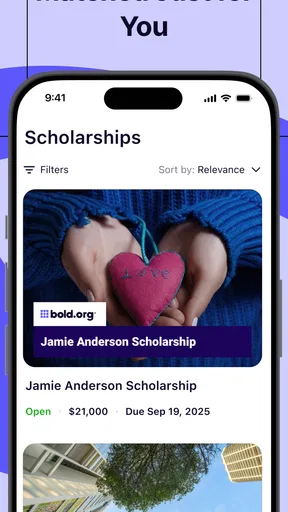
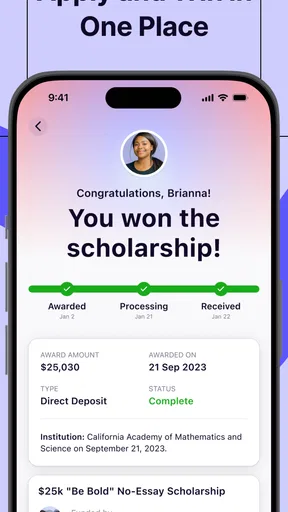
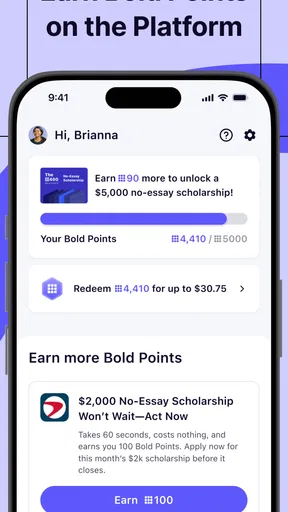
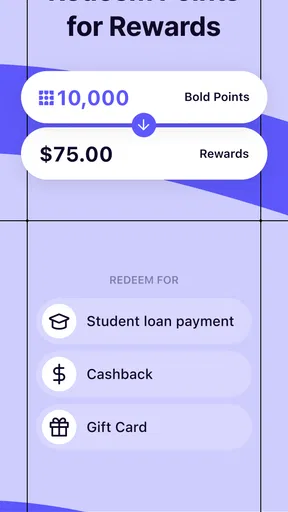
 Analysis by AppCompare
I spent time with Bold.org: Scholarships as an education app, looking at it less like a quick scholarship directory and more like a tool someone might open repeatedly during a stressful search for student aid. Its purpose is straightforward: help students discover grants, rewards, and scholarship opportunities in one place. The useful question, though, is whether that process feels manageable for people with different reading needs, motor abilities, attention patterns, devices, and daily circumstances.
My overall impression is positive, especially for students who want a free starting point rather than a spreadsheet built from scattered websites. The app is made by Bold.org, Inc., and its audience is broad enough to include students at several stages of education. It is rated for Everyone, so the tone and subject matter are intended to be suitable for a general audience. I would still treat it as a discovery and organization aid, not as a guarantee that an application will be simple, suitable, or successful.
How comfortably the app supports different users
I find that Bold.org: Scholarships is easiest to use when I treat accessibility as part of the search plan, not as a separate check after I have invested time. A brief trial on the device and with the settings I rely on can show whether reading and moving between opportunities feel sustainable. From there, the next question is how to make that browsing fit into an ordinary day.
Readability and navigation during a scholarship search
The strongest part of this kind of app is the reduction of search friction. Instead of beginning with a blank browser tab and trying to invent the right search terms, I can start from a student-aid environment that is already focused on scholarships, grants, and related rewards. That matters when a student is tired, unfamiliar with financial-aid language, or unsure whether an opportunity applies to their situation.
I found the most sensible way to use it was in short passes. I would browse opportunities first, pause on the ones that looked relevant, and then return later to inspect requirements more carefully. That approach is better than treating every listing as an immediate application. Scholarship descriptions often contain several conditions, and rushing through them can lead to wasted time or an application that never had a realistic chance of qualifying.
The interface is easiest to appreciate when I have a clear goal. For example, a student preparing for a new academic term can use the app to look for opportunities connected with their education level or personal circumstances, then make a separate shortlist before gathering documents. Someone who simply scrolls without a plan may find the volume of possibilities less helpful, because discovery can turn into decision fatigue.
Text-heavy financial-aid information also creates a readability challenge. Even when the layout is clean, students still need to compare deadlines, eligibility rules, submission requirements, and award details. I recommend reading each promising listing twice: first for basic fit, then for the exact conditions. A quick glance at a title is not enough, and the app should not be treated as a substitute for reading the full opportunity information.
Worth Reading Before You Choose

Flipboard Shows What News Apps Must Do Beyond the Feed

Switching to Android Auto Means Rethinking Your Driving Routine

Google Calendar Makes a Crowded Week Easier to Manage

Ludo King Makes the Most of the Minutes Between Plans

Baby Panda World Brings Quick Play to Modern Phones, but Its Game Library Feels Busy

ESPN’s Live Game View Makes Following Close Games Easier
For users who enlarge text at the operating-system level, the practical experience will depend on how the app responds to that setting on their particular device. I would test the main browsing and detail screens immediately rather than assuming every element will remain equally comfortable. Large text can improve reading for some people but may also make cards or controls require more scrolling. That is not a reason to avoid the app; it is a reason to check the workflow before investing serious time.
One useful habit is to keep a simple external note with three labels: “worth checking,” “needs documents,” and “not a fit.” This prevents the app from becoming a collection of vague possibilities. It also helps students who have difficulty holding several requirements in working memory. The app can support discovery, but the final organization still benefits from a method that is visible and easy to review.
Motor and sensory considerations
Scholarship searching is not usually a fast-action task, which is an advantage for people who need more time to tap accurately or who find rapid interfaces tiring. I can approach it in deliberate stages instead of making split-second decisions. That makes the app more suitable for a quiet, careful workflow than for hurried browsing between other tasks.
Even so, repeated scrolling, selecting small controls, and moving between listings can become tiring for users with limited dexterity, tremors, or hand pain. My advice is to avoid trying to complete a long search in one sitting. A short session focused on screening opportunities is more realistic than attempting to read everything, collect documents, and submit applications at once.
People who are sensitive to visual clutter may also prefer a slower approach. Scholarship platforms naturally contain multiple pieces of information competing for attention: names, eligibility, deadlines, descriptions, and calls to action. I would open one opportunity at a time and ignore unrelated items until I had decided whether the current one deserved further attention. This reduces the sensory and cognitive load without requiring a complicated setup.
For users who rely on screen readers, keyboard navigation, voice control, or other assistive technologies, the important test is not merely whether the app opens. The complete path matters: finding a relevant listing, understanding its requirements, moving through controls, and reaching the point where the next action is clear. I would verify that path personally on the device being used. Support can vary with the operating system, device, and app version, so I would not promise an identical experience for every assistive setup.
Audio conditions can affect the experience too. A student may be searching in a shared room, on public transport, or while managing another responsibility. Because scholarship research is primarily an information task, I found it more practical to use the app visually and in short bursts rather than depend on an uninterrupted audio environment. If concentration is difficult, saving only the most relevant opportunities for a later, quieter review is a better strategy than trying to process everything immediately.
A less obvious benefit is that the app can shift the first stage of the search away from writing. Students who find open-ended web searching difficult can begin by reacting to existing opportunities instead of composing the perfect query. That does not remove the need to read or apply, but it lowers the barrier at the starting point. For someone with attention difficulties, that small reduction in initiation effort can make the difference between beginning a search and postponing it indefinitely.
Using it in real-life situations
The most realistic scenario I can imagine is a student who has a short break between classes and wants to make progress without committing to a full application. They can browse a few opportunities, identify one that appears relevant, and note what needs checking later. The important boundary is to avoid submitting anything rushed simply because the available time is short.
Another useful situation is a family helping a student compare options. One person can read the opportunity details aloud while the student decides whether the subject, eligibility, and effort make sense. This shared approach may help users who find dense text tiring, while also giving the family a chance to catch requirements that a hurried reader might overlook.
The app can also fit a staged routine for students who are balancing work, caregiving, health appointments, or unreliable internet access. On one day, they can discover possibilities; on another, they can verify eligibility; later, they can prepare the required material. I prefer this approach because it treats accessibility as part of time management. A tool is more usable when it allows progress in small pieces rather than assuming the user has a large uninterrupted block of energy.
For students using an older phone, the practical question is whether browsing remains comfortable on their particular hardware and connection. The app requires Android 7.0 or later, which makes it available to many older Android devices, but compatibility alone does not guarantee a smooth experience on every phone. Storage, screen size, connection quality, and general device performance can still affect comfort.
On iOS, I would use the same principle: test the actual device, especially if the student depends on enlarged text, voice features, or other system settings. The app is free, so trying it does not require a purchase decision, but the real cost is time. A student should confirm that the browsing flow feels workable before building a large personal routine around it.
Where the experience still creates barriers
The biggest barrier is not necessarily finding opportunities; it is judging them. A student may see an appealing scholarship and still need to interpret eligibility, prepare an essay, collect records, and meet a deadline. No discovery app can remove all of that work. Bold.org: Scholarships is most useful when the user understands that browsing is only the first part of the process.
There is also a risk of overconfidence. A listing that appears relevant at first glance may not fit once every condition is read. I would never assume that an opportunity is suitable based only on its title or broad theme. Students should check the full requirements and keep their own record of what they submitted, when they submitted it, and which materials were used.
Users with reading disabilities or limited English proficiency may still face dense wording and unfamiliar financial-aid terms. The app can make discovery easier, but it does not automatically translate complicated requirements into plain language. A trusted teacher, counselor, family member, or support service can be valuable when a student is unsure how to interpret a condition.
Students with executive-function challenges may also struggle with the transition from browsing to action. Saving an opportunity mentally is not the same as completing it. I recommend turning every promising listing into a concrete next step, such as “check enrollment requirement,” “find transcript,” or “draft response.” This is one of the most important practical adjustments because it converts an attractive possibility into a manageable task.
Another limitation is that a centralized app can encourage users to search in only one place. I would not rely on it as the sole source of financial-aid information. School counselors, colleges, local organizations, and official education resources may offer opportunities or guidance that a general scholarship app does not replace. The best role for this app is to widen the search while the student keeps other trusted channels open.
The current version is 0.78.0, and the app has passed the early stage of being a completely unknown tool: it has more than fifty thousand installs, with a 4.6 average from roughly eight hundred ratings and over six hundred written reviews. Those figures suggest that many users find value in it, but they do not predict how well it will suit a particular accessibility setup or study routine. My own judgment is that personal testing matters more than popularity when the app is being used for an important education decision.
Who should use it, and who may prefer another route?
I would recommend trying it if you are starting a scholarship search, feel overwhelmed by scattered web results, or want a focused place to discover student-aid possibilities. It is also a sensible option for students who need to work gradually and revisit opportunities instead of attempting everything in one session. Since it is free, the main investment is attention rather than money.
I would be more cautious if you already have a highly organized process through your school, college, or a specialist counselor. In that case, the app may add another stream of information without solving your main problem. A spreadsheet, calendar, or direct institutional guidance could be better for tracking deadlines and documents once opportunities have already been identified.
Students who need guaranteed compatibility with a particular assistive technology should test the full workflow before relying on it. If navigation, text presentation, or control access becomes a barrier, a mobile browser, a school support service, or a human-assisted search may be the better option. Accessibility is not just about opening an app; it is about completing the meaningful task with reasonable independence.
The app is also not the right choice for someone expecting instant funding or an automatic match. Scholarship searching still requires judgment, patience, and often substantial preparation. Its value is in helping me find and consider possibilities, not in replacing the application process or promising an outcome.
My inclusive verdict
Bold.org: Scholarships is a useful education app for making the first stage of student-aid research less intimidating. I like that it gives students a focused starting point and can support a gradual workflow, especially when time, energy, or confidence is limited. Its free price and Everyone age rating make it easy to try without turning the decision into a financial risk.
Its inclusive value depends on how each person uses it. Short sessions, careful reading, external notes, and support from another person can make the experience far more manageable than endless scrolling. Users who need specific assistive-technology behavior should test the app on their own device, while students with complex financial-aid questions should combine it with official or human guidance.
My final recommendation is to use it as a discovery tool with a personal checking system. Browse broadly, narrow the list, verify every requirement, and turn each serious possibility into a clear next action. With that approach, the app can help different kinds of learners move forward without pretending that one interface solves every accessibility or financial-aid challenge.
Pros
- Free to browse and apply for listed scholarships.
- Personalized scholarship matches help narrow down opportunities.
- Application deadlines and eligibility details are clearly displayed.
- Supports various education levels
- fields
- and student backgrounds.
- New scholarship listings are added regularly.
Cons
- Some scholarships require lengthy essays or detailed application profiles.
- Eligibility rules can vary significantly between individual awards.
- Competition may be high for popular scholarship opportunities.
- Not every listed scholarship is available to students in all locations.
- Application results depend on individual scholarship providers
- not Bold.org.
FAQs for Bold.org: Scholarships
What is Bold.org: Scholarships, and how does it work?
Bold.org: Scholarships is a platform that helps students discover and apply for scholarships, grants, and other education funding opportunities. After creating a profile, you can browse listings based on eligibility, academic interests, location, education level, and application deadlines. Each scholarship has its own requirements, so you should read the full description carefully before submitting an application.
Is Bold.org: Scholarships free to use?
Yes, students can generally use Bold.org to create a profile, search for scholarship opportunities, and submit applications without paying an application fee. Some features may encourage you to complete your profile or participate in platform activities, but you should never feel required to pay money to apply for a legitimate scholarship. Always review the official terms and verify suspicious requests independently.
Can high school students and college students both use Bold.org?
Bold.org includes opportunities for different types of students, including high school students, current college or university students, graduate students, and sometimes adult learners or other specific groups. Eligibility varies considerably between scholarships. Before applying, check requirements such as age, location, enrollment status, GPA, field of study, and graduation date to avoid spending time on opportunities you cannot receive.
What information do I need to provide when applying for scholarships?
Depending on the opportunity, an application may require basic personal and academic information, your school details, intended field of study, extracurricular activities, financial circumstances, essays, or responses to scholarship-specific questions. Some applications may also request documents or other verification. Only provide accurate information, review privacy policies, and avoid sharing sensitive details unless the request is clearly necessary and trustworthy.
Are scholarships on Bold.org guaranteed, and how are winners selected?
No scholarship is guaranteed simply because you create an account or submit an application. Each award has its own selection process, eligibility rules, deadline, and judging criteria. Winners may be chosen by a sponsor, committee, or another stated method, and competition can be substantial. Read the official scholarship details carefully, submit original and complete materials, and monitor your account for notifications.


